FREE RESOURCE FOR CRE BROKERS
Commercial property
tour itinerary template.
Give clients one clear plan for the day. Organize properties, suites, meeting times, access instructions, and the questions you want to answer at each stop.
Editable DOCX · Blank itinerary + three-stop example · No signup
SAMPLE CLIENT ITINERARY
Midtown office tour
Northstar Labs · October 8, 2026
Three properties · All times Eastern
- 350 Park AvenueSuite 1200 · 5,000 SF
Meet at the main lobby. - One Grand CentralSuite 800 · 5,200 SF
Confirm reception access. - 60 East 42nd StreetSuite 2100 · 4,800 SF
Wrap up with a client debrief.
Illustrative schedule and listings. Confirm availability, access, and travel time before sending.
Build an itinerary your client can use
The Word download includes a blank three-stop tour itinerary and a completed example. Replace the placeholders, add or remove stops, and export your client copy to PDF after appointments are confirmed.
Before the first stop
- Name the client, date, and time zone.
- Set the meeting point and broker contact.
- Write down the space requirements and priorities.
- Confirm appointments, access, and building check-in requirements.
At every property
- Show the address, suite, size, and meeting time.
- Name the onsite contact and confirmed access details.
- Allow time for travel, parking, and security.
- Leave room for questions, feedback, and follow-ups.
A three-stop commercial office tour
The sample itinerary starts at 10:00 AM, allows 30 minutes in each space, and leaves a 15-minute transfer between stops. It finishes the final tour at noon, followed by a 15-minute debrief. The transfer times are planning placeholders, not a live routing estimate.
| Time | Stop | What to confirm |
|---|---|---|
| 10:00–10:30 AM | 350 Park Avenue · Suite 1200 | Layout, delivery condition, and timing. |
| 10:45–11:15 AM | One Grand Central · Suite 800 | Reception access and the proposed buildout. |
| 11:30 AM–12:00 PM | 60 East 42nd Street · Suite 2100 | Natural light, layout, and expansion needs. |
| 12:00–12:15 PM | Client debrief | Choose the shortlist and assign follow-ups. |
Turn the tour into a useful next conversation
Capture what the client liked, what ruled a space out, and what still needs an answer. After the tour, send a recap with a short list of next actions and an owner for each. Keep internal negotiation notes separate from the itinerary shared with the client.
Make the route realistic
Check travel time for the actual day and departure time. Confirm the meeting location at each building, leave room for check-in, and update the itinerary if an appointment changes.
CLIENT TOURS WITH AGENTDESK PRO
Keep the route, spaces, and tour notes together.
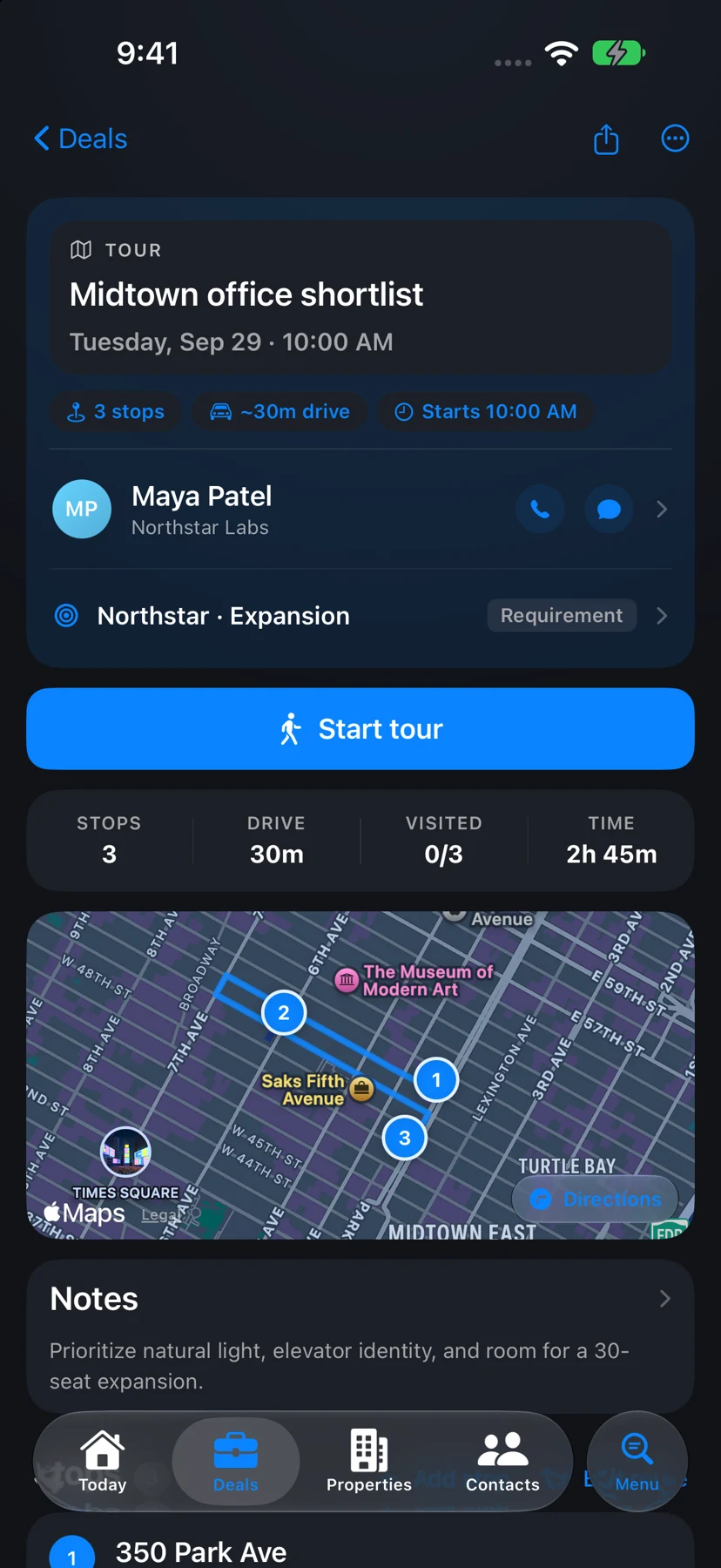
AgentDesk Pro supports multi-stop client tours with linked properties and suites. Build the plan, capture photos while touring, and prepare materials to share before and after the visit.
- Plan stops with routing and suite details.
- Keep the tour connected to the client and requirement.
- Export an itinerary before the tour and a recap afterward.
Common questions
Is the tour itinerary template free?
Yes. Download and edit the Word file without an account. Creating tours and exporting tour PDFs within AgentDesk requires Pro.
Does the template calculate driving times?
No. The example includes time allowances, but you need to verify the route, traffic, parking, and access for your appointments.
Can I add more properties or use it for industrial and retail tours?
Yes. Duplicate a stop row and change the property details and questions to suit your client. Recheck the schedule after changing the stop order or appointment duration.